


The One Measurement That Determines Everything
You’ve chosen a Philips automatic smart lock. You’ve compared the features, checked the specs, and you’re ready to install. Then you hit one question that stops everything:
60mm or 70mm?
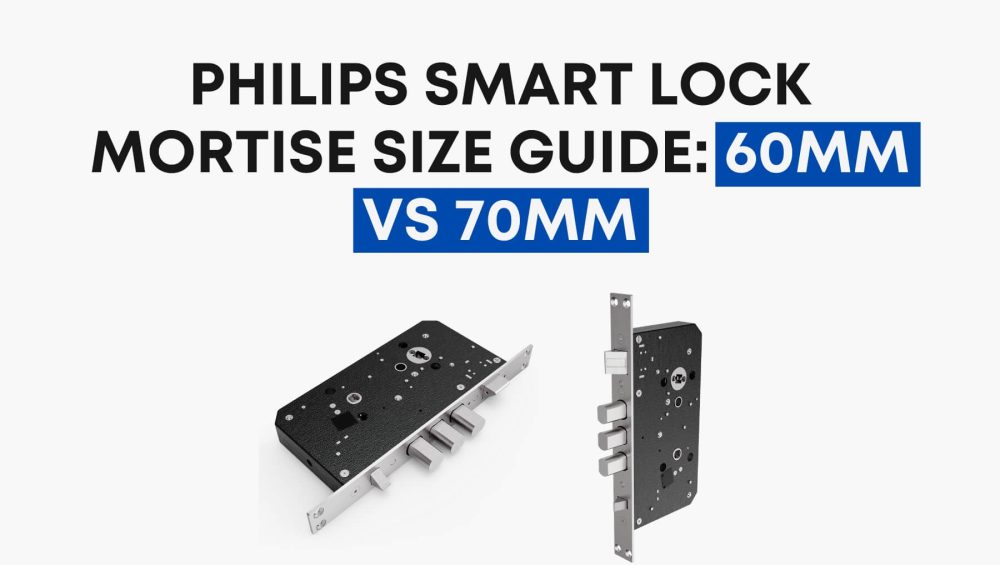
It’s a small number with a big consequence. Get it wrong, and the lock either won’t fit your door or won’t operate correctly — no matter how advanced the technology inside it. This guide is built specifically for homeowners and contractors who need to get this right before purchasing or installing a Philips automatic mortise smart lock.
What Does “Mortise Size” Actually Mean?
In smart lock terminology, the mortise size refers to the backset measurement — the distance from the edge of the door to the center of the mortise (the internal lock body housed inside the door).
This is not the same as the lock body size, the door thickness, or the handle bore diameter. The backset is a single, critical horizontal measurement that determines whether a given mortise will physically align with the door’s cutout and operate its bolt mechanism correctly.
The two standard backset sizes in the Philippine and Southeast Asian market — and those supported by Philips automatic smart locks — are:
- 60mm — The more common size in standard residential wooden and hollow-core doors
- 70mm — Typically found in heavier-duty swing doors, security doors, and certain imported door systems
How to Measure Your Door’s Backset
Before selecting a Philips mortise size, always measure your existing mortise or the pre-cut cavity in your door. Here’s how:
- Open your door to a 90-degree angle.
- Locate the center of the existing lock cylinder or mortise pocket on the door edge.
- Using a metal tape measure, measure horizontally from the door edge (the thin side) to the center point of the cylinder or lock body.
- The result will either be approximately 60mm or 70mm.
If your door has no existing mortise cut (new installation), refer to your door manufacturer’s specification sheet. For security doors and metal-framed doors, always confirm with the fabricator — backset dimensions on these door types can vary even within the same product line.
Pro Tip for Contractors: A deviation of even 5mm will prevent the smart lock from seating correctly. Always use a metal tape measure, not a cloth tape, and measure at least twice before confirming your order.
Philips Automatic Smart Lock Mortise: What the Third-Generation Offers
Philips’ automatic smart lock lineup is built around its Third-Generation Mortise system, available in both 60mm and 70mm configurations. Both variants share the same core engineering platform, which includes:
- Fully automatic locking and unlocking — the bolt automatically extends when the door closes, with no manual action required
- Certified three-star security rating under Philips’ internal testing authority
- Up to 200,000 usage cycles for long-term durability
- 51 dB noise level — quieter operation compared to previous-generation mortises
- Reduced power consumption for extended battery life
The key distinction between the 60mm and 70mm variants is purely dimensional — the same performance specifications and features apply across both sizes. The mortise you select should be determined entirely by your door’s backset measurement, not by personal preference.
60mm Mortise: When to Choose It
The Philips Third-Generation Mortise (60mm) is the right choice when:
- Your door has a standard 60mm backset (most common in residential wooden doors in the Philippines and Southeast Asia)
- You are replacing an existing standard residential mortise lock
- The door is a wooden swing door of standard residential construction
- Your door installer or manufacturer has confirmed a 60mm specification
This size is widely compatible with the majority of residential door setups. If you are unsure of your backset and your door is a standard pre-hung wooden door, the 60mm is statistically the more likely fit — but always verify before purchasing.
70mm Mortise: When to Choose It
The Philips Third-Generation Mortise (70mm) is the correct specification when:
- Your door has a confirmed 70mm backset measurement
- The door is a heavier security door, imported door system, or doors with a wider stile
- Your existing mechanical mortise is labeled or stamped as 70mm
- A licensed installer or contractor has confirmed the 70mm requirement during pre-installation assessment
The 70mm backset is also referenced in Philips’ lineup for specific smart lock models with auto-locking functionality — for example, Philips lists the DDL111BAGBW/00 (featuring auto-locking and a 4-inch IPS display) explicitly with a 70mm door backset.
Can You Use a 60mm Lock on a 70mm Door (or Vice Versa)?
No. This is one of the most critical technical points for both homeowners and professional installers.
The mortise body must align precisely with the pre-cut cavity in the door. A 60mm mortise installed on a 70mm door will sit too close to the door edge, leaving a misaligned bolt that cannot properly engage the door frame’s strike plate. Conversely, a 70mm mortise on a 60mm door will leave the bolt recessed too far, preventing proper bolt extension and lock engagement.
There is no adaptor, shim, or workaround that resolves this mismatch. If the backset dimensions do not match, a professional will need to either re-cut the door’s mortise pocket or select the correct-sized lock unit.
Quick Reference: 60mm vs 70mm at a Glance
| Specification | 60mm Mortise | 70mm Mortise |
| Backset Distance | 60mm | 70mm |
| Door Type Fit | Standard residential doors | Security doors, wider stile doors |
| Auto-Locking | Yes | Yes |
| Security Rating | Three-star certified | Three-star certified |
| Usage Cycles | Up to 200,000 | Up to 200,000 |
| Noise Level | 51 dB | 51 dB |
| Generation | Third-Generation | Third-Generation |
Final Recommendation: Measure First, Purchase Second
The Philips automatic smart lock mortise system — in both 60mm and 70mm — is engineered to a high standard. The third-generation platform delivers fast unlocking response, quiet operation, and certified durability that supports a fully hands-free entry experience.
But none of that technology functions correctly if the mortise size doesn’t match your door.
The correct purchasing sequence:
- Measure your door’s backset
- Confirm the measurement with a second reading
- Consult your installer or door supplier if uncertain
- Purchase the matching Philips mortise (60mm or 70mm)
- Proceed with installation
For homeowners, when in doubt, engage a licensed locksmith or security installer to assess your door before purchasing. For contractors and procurement teams, always reference the door specification sheet and verify backset dimensions on-site before placing bulk orders.