



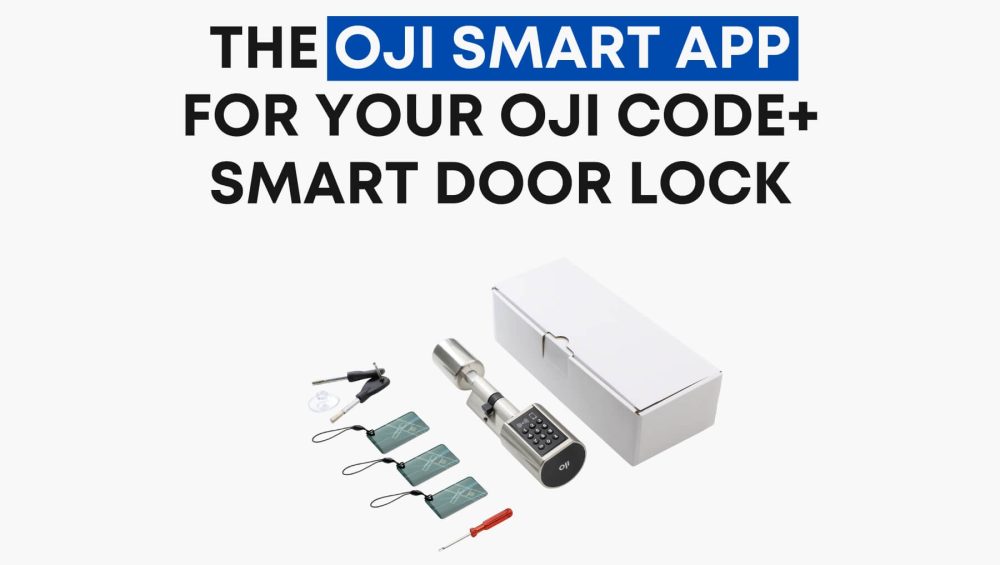
The Oji Smart App is the control hub for your Oji Code+ Smart Door Lock, giving you seamless access and total control directly from your smartphone. Designed for both Android and iOS, the app makes your smart lock smarter by combining Bluetooth convenience, Wi-Fi remote control, real-time monitoring, and advanced security features.
Why Download the Oji Smart App?
Once you’ve installed the Oji Code+ Smart Door Lock, downloading the Oji Smart App unlocks its full potential:
- Bluetooth Unlocking – Open your door with a simple tap when within 2 meters of the lock.
- Wi-Fi Remote Control – Add the Gateway and control your door from anywhere in the world.
- Share e-Keys – Instantly create and send digital keys for family, staff, or guests.
- Access Logs – Track real-time entry and exit history for peace of mind.
- Auto-Lock Settings – Customize auto-lock timing for added safety.
- Battery Alerts – Get notified in advance when battery levels are running low.
Step-by-Step: Setting Up the Oji Smart App
- Download & Register
- Install the app from the App Store or Google Play.
- Register with your phone number (with country code) or email, then verify with the code sent to you.
- Install the app from the App Store or Google Play.
- Sign In & Add Device
- Sign in with your credentials.
- Tap the “+ Add Lock” button and select Door Lock.
- Wake your Oji Code+ lock to enable pairing.
- Sign in with your credentials.
- Pair via Bluetooth
- Ensure Bluetooth is active on your phone.
- Keep your phone in front of the lock to avoid connection issues.
- Once detected, tap the “+” to pair.
- Ensure Bluetooth is active on your phone.
- Customize Your Lock
- Rename your lock for easy identification.
- Set up PIN codes, RFID cards, and guest e-keys.
- Rename your lock for easy identification.
- Test & Manage
- Tap the lock button in the app to unlock.
- Hold the same button longer to lock.
- Use icons below the main padlock to explore additional features.
- Tap the lock button in the app to unlock.
Benefits of Using the Oji Smart App
- Total Control: Manage access whether you’re at home or abroad.
- Enhanced Security: Real-time alerts and access logs keep you informed.
- User-Friendly: Simple setup and intuitive interface make it accessible to anyone.
- Smart Home Integration: Works seamlessly with Oji’s ecosystem for future-ready living.
- Peace of Mind: Battery alerts and backup key options eliminate lockout worries.
Frequently Asked Questions
Can I use the lock without Wi-Fi?
Yes. Bluetooth, PIN codes, RFID cards, and the backup key work without internet.
How far can I unlock via Bluetooth?
Bluetooth works within 2 meters. For remote access, add the Gateway.
Can multiple users access the lock?
Yes. You can share PINs, RFID cards, or digital keys via the app.
What happens if my battery dies?
You’ll get a low-battery warning in advance. In emergencies, use the backup key or USB-C power bank.
Final Thoughts
The Oji Smart App is more than just a digital key—it’s the nerve center of your smart door lock system. From sharing e-keys instantly to tracking every access attempt, the app ensures that your Oji Code+ Smart Door Lock is as secure and convenient as possible.
If you’re looking for smart home security in the UAE that combines style, safety, and simplicity, pairing your lock with the Oji Smart App is the ultimate upgrade.